Invoice Submission Workflow
Automatic Submission
When ZATCA integration is enabled, invoices are automatically submitted to ZATCA when:
- A Sales Invoice is created and submitted (not saved as draft)
- The invoice has all required fields
- ZATCA credentials are configured
Submission Process Flow
- User creates and submits Sales Invoice
- System creates Sales Invoice Additional Fields document
- System generates ZATCA-compliant XML
- System validates XML (if validation enabled)
- System signs XML using ZATCA CLI
- System calculates invoice hash and counter
- System submits signed XML to ZATCA API
- System receives response from ZATCA
- System updates Additional Fields with:
- UUID (if successful)
- QR Code
- Integration Status
- Errors/Warnings (if any)
- System creates ZATCA Integration Log entry
Manual submission if working offline
If your system is working offline and cannot submit invoices automatically, you can manually submit them when the system is back online:
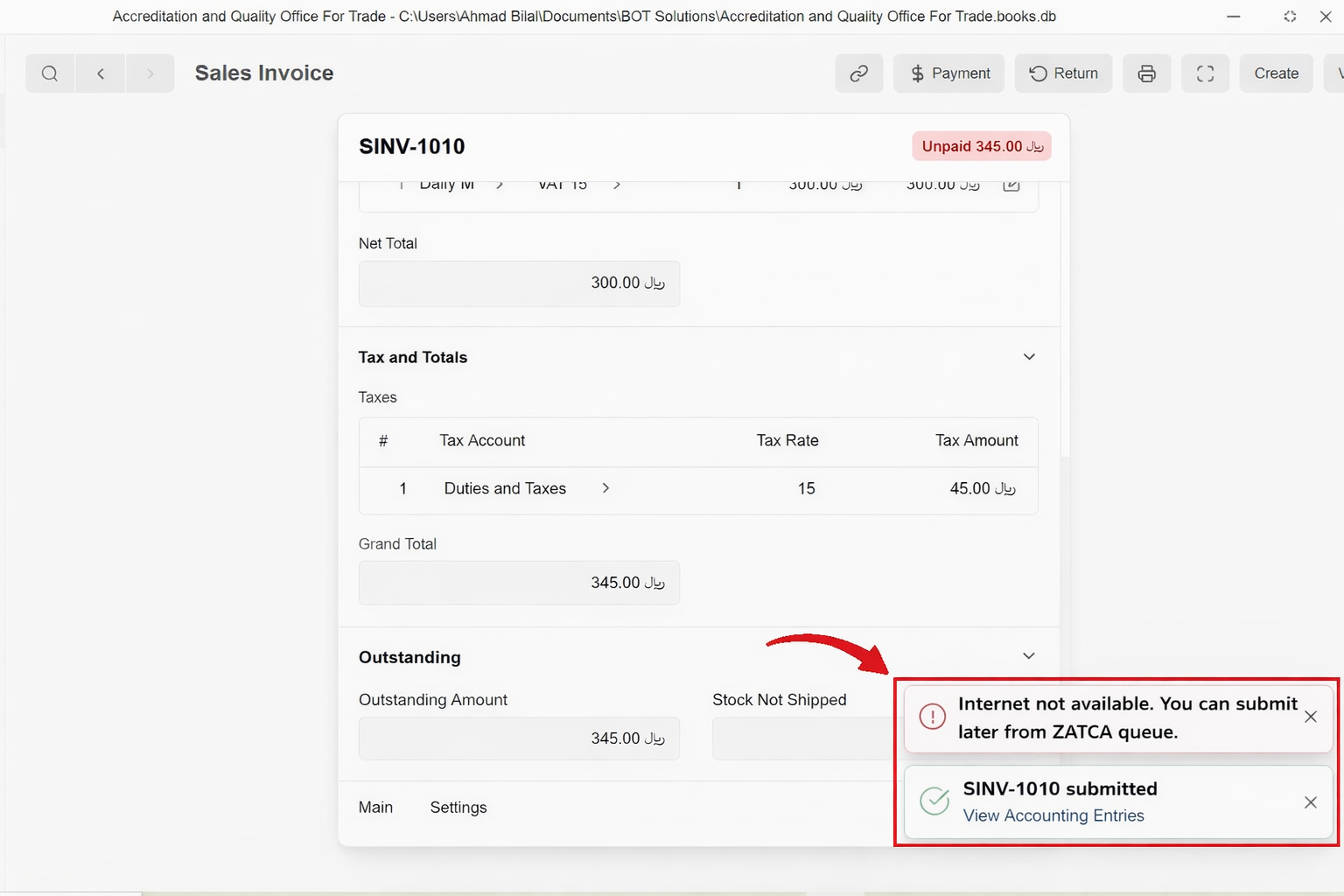
- Ensure your system is connected to the internet
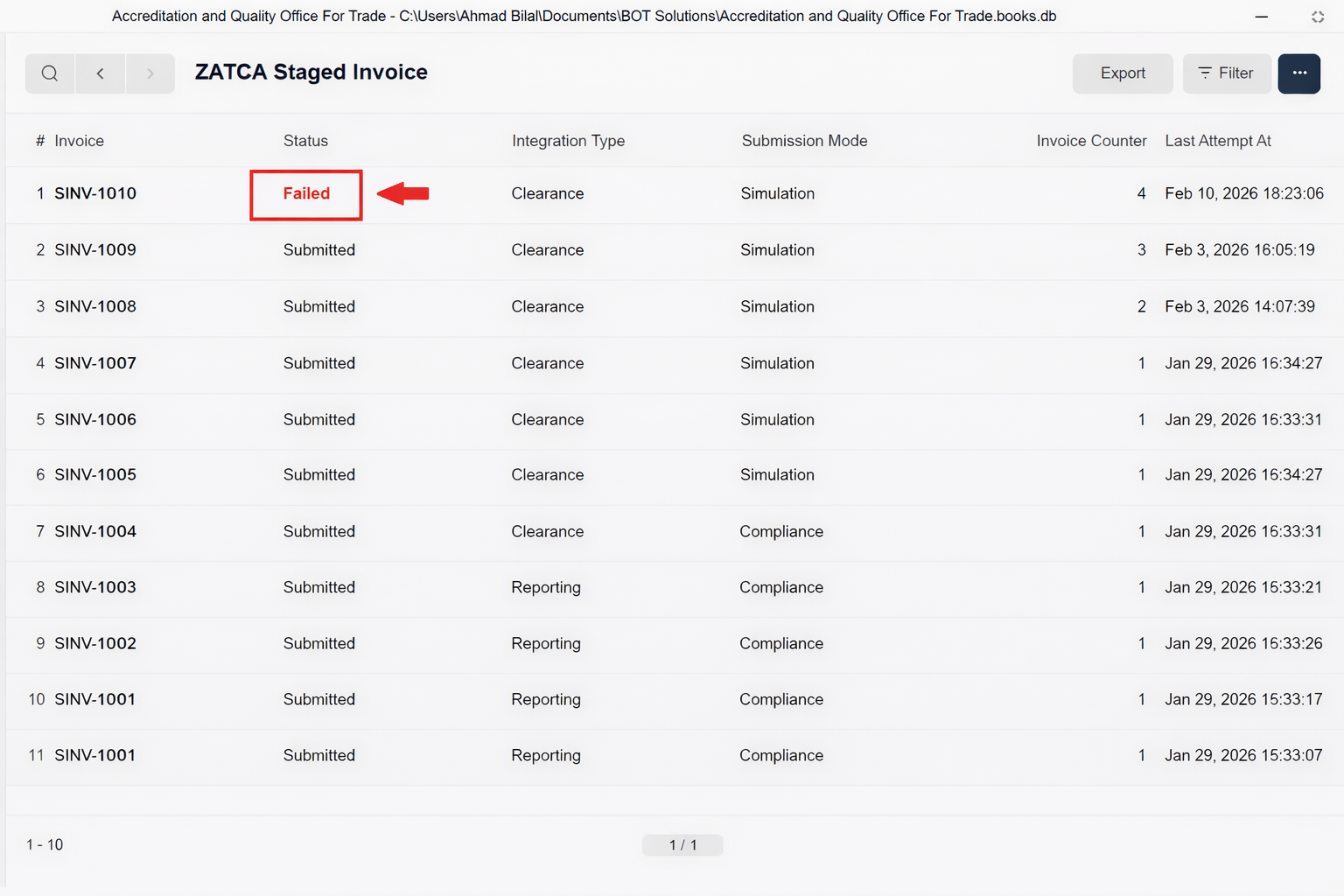
- Open the Sales Invoice Additional Fields document
- Check the Integration Status
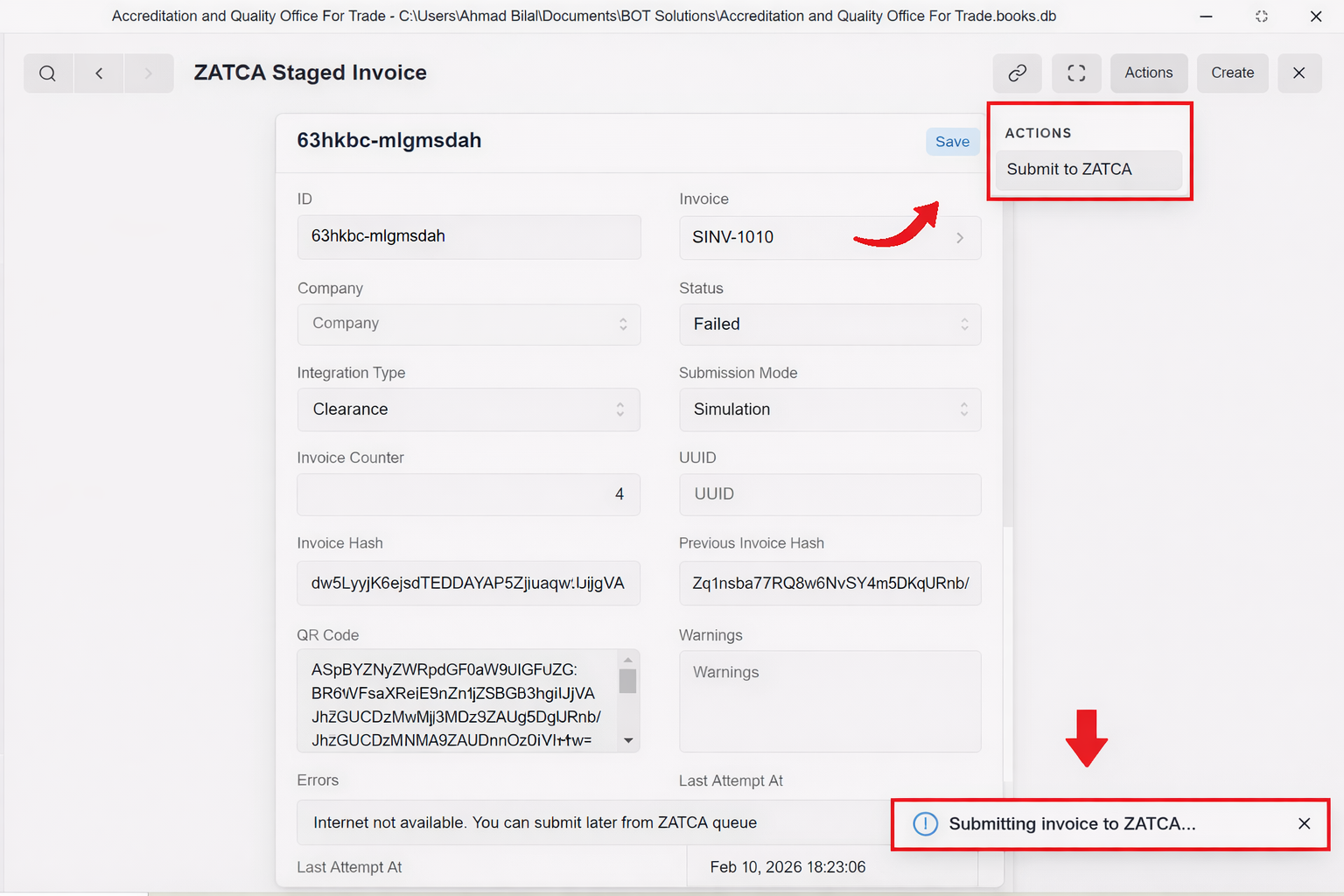
- If status is "Pending/Failed", click "Submit to ZATCA" action button (if available)
- System will generate the ZATCA-compliant XML and submit it to the ZATCA API once online
- Upon successful submission, the status will update to "Submitted" and you will receive a Popup.
- If there are any errors, the system will provide error messages in the Errors and Warnings field
Manual submission in case of Rejection
If automatic submission fails or you need to resubmit:
- Open the Sales Invoice Additional Fields document
- Check the Integration Status
- If status is "Resend" or "Failed":
- Review errors in the Errors and Warnings field
- Fix any issues in the parent Sales Invoice
- Click "Resend to ZATCA" action button (if available)
Submission Types
Reporting Mode
- Standard submission mode
- Invoices are reported to ZATCA for record-keeping
- Used for most invoice types
Clearance Mode
- Real-time clearance required
- Invoices must be cleared by ZATCA before being considered valid
- Used for specific invoice types or high-value transactions
Invoice Counter and Hash Chain
ZATCA requires invoices to be cryptographically chained:
- Invoice Counter: Sequential number starting from 1
- Invoice Hash: SHA-256 hash of invoice data
- Previous Invoice Hash: Hash of the immediately preceding invoice
This creates an unbreakable chain ensuring invoice integrity and preventing tampering.